
Blog post — August 2026 — AI Tips
Cowork is Anthropic’s automation mode for Claude — it runs in its own workspace, can read and write files, use a browser, reach connected apps like Gmail and Google Calendar, and keep working on something even after you’ve closed the app. It’s a different shape of tool to the conversation you’re used to having with Claude. The question worth asking isn’t “is it clever” — it’s “does it actually save a disabled person energy, or does it just move the tiredness somewhere else.” Here’s my honest task-by-task verdict, based on what I’d actually use it for.
1. Prepping for medical appointments
Pros: It can read your calendar, spot a clash before it becomes a crisis, and pull together the questions you wanted to ask a consultant into one page so you’re not trying to hold it all in your head in the waiting room.
Cons: It can’t make a phone call for you. If your hospital department still insists on ringing rather than booking online, Cowork ends up doing the research and drafting the ask, but you’re still the one holding the phone.
Worth it: Yes. Even shaving off the prep work is a real energy saving.
2. Drafting difficult correspondence
Complaints, benefit forms, letters to your MP, replies to officials — the kind of writing that matters and that you can’t afford to get wrong.
Pros: It gets a blank page moving and holds a consistent structure, so you’re approving and adjusting wording rather than constructing it sentence by sentence — which is where fatigue really bites for a lot of us.
Cons: It still needs your review every time. It will get institutional detail wrong if it doesn’t have the specifics, and benefits or legal wording has real consequences if it’s off.
Worth it: Yes, but never send anything it drafts without reading it properly first.
3. Building small personal tracking tools
A symptom diary, a pain tracker, a medication log — built to fit exactly what you track, in one conversation.
Pros: No subscription, no ads, no company harvesting your health data, and it runs locally on your phone. Tailored to you rather than you adapting to someone else’s app.
Cons: It’s DIY software. Bugs happen, nothing is clinically validated, and you’re the one who has to notice if it’s lost data or logged something wrong.
Worth it: Yes for your own tracking. No if you need something a clinician can rely on without you double-checking it first.
4. Digesting long documents so you don’t have to
Consultation papers, research articles, dense policy documents — the stuff that’s genuinely important but takes cognitive effort you don’t have to spare.
Pros: This is the single biggest energy saver on this list. Forty pages down to the three paragraphs that actually affect you.
Cons: Summarising loses nuance, and it can be confidently wrong about a specific detail. Anything you’re going to act on needs a spot check against the original.
Worth it: Yes, cautiously — treat it as a first pass, not a final answer.
5. Recurring reminders and check-ins
Cowork can be set to nudge you about a medication review, a renewal date, a form that needs chasing, without you having to hold it in your head.
Pros: Genuinely useful for the executive-function gaps that disability produces — the things you know you should remember and then don’t.
Cons: It’s one more thing you have to trust will actually fire, and if you don’t check your phone daily the reminders just pile up unread, which defeats the point.
Worth it: Yes, if you’re already someone who checks their phone regularly. No if notifications are something you tend to ignore anyway.
6. Writing step-by-step guides for a carer or family member
Turning knowledge that only lives in your head into something someone else can follow when you can’t explain it in the moment.
Pros: Huge if your speech or availability is unpredictable. A well-written guide means you’re not the single point of failure for “how do I turn the boiler back on.”
Cons: Takes real upfront time, and it needs testing against reality — a confidently wrong guide is worse than no guide at all.
Worth it: Yes, but budget the energy for testing it properly, not just writing it.
7. Cleaning up dictated text
If voice input is your main way of getting words onto a screen, having something tidy up the characteristic typos and run-on sentences without judgement is a real quality-of-life change.
Pros: Saves the specific kind of fatigue that comes from typing being physically hard, and it doesn’t get impatient the way a person might.
Cons: It can occasionally “correct” something into a meaning you didn’t intend. Not something to send anywhere unread.
Worth it: Yes.
8. Publishing and cross-posting content
Draft it, format it, tag it, save a backup copy somewhere else, and publish it — all in one pass, which is roughly what happened to get this post in front of you.
Pros: Removes several separate app-switching steps that each cost a bit of energy on their own. For anyone who blogs, journals, or just needs to get words out into the world, that adds up.
Cons: It’s still an amplifier, not a substitute for judgement. What actually gets said publicly, and whether it’s true and fair, stays entirely your call.
Worth it: Yes.
9. Financial admin and deadline tracking
Keeping tabs on renewal dates, account balances, and money-related deadlines that come with disability benefits, insurance, or care arrangements.
Pros: Reduces the mental load of holding several dates and numbers in your head at once, especially when brain fog makes that specific kind of tracking hard.
Cons: Real money decisions shouldn’t rest on an AI’s arithmetic without you checking the actual figures. It’s a memory aid, not a financial adviser.
Worth it: Yes, as a second pair of eyes — not as the only pair.
The honest summary
None of this is magic, and none of it changes the underlying condition. What it does is take some of the small, repeated tasks that eat energy — the chasing, the drafting, the remembering, the app-switching — and hand them to something that doesn’t get tired doing them. For a disabled person, that’s not a nice-to-have. That’s the actual point.
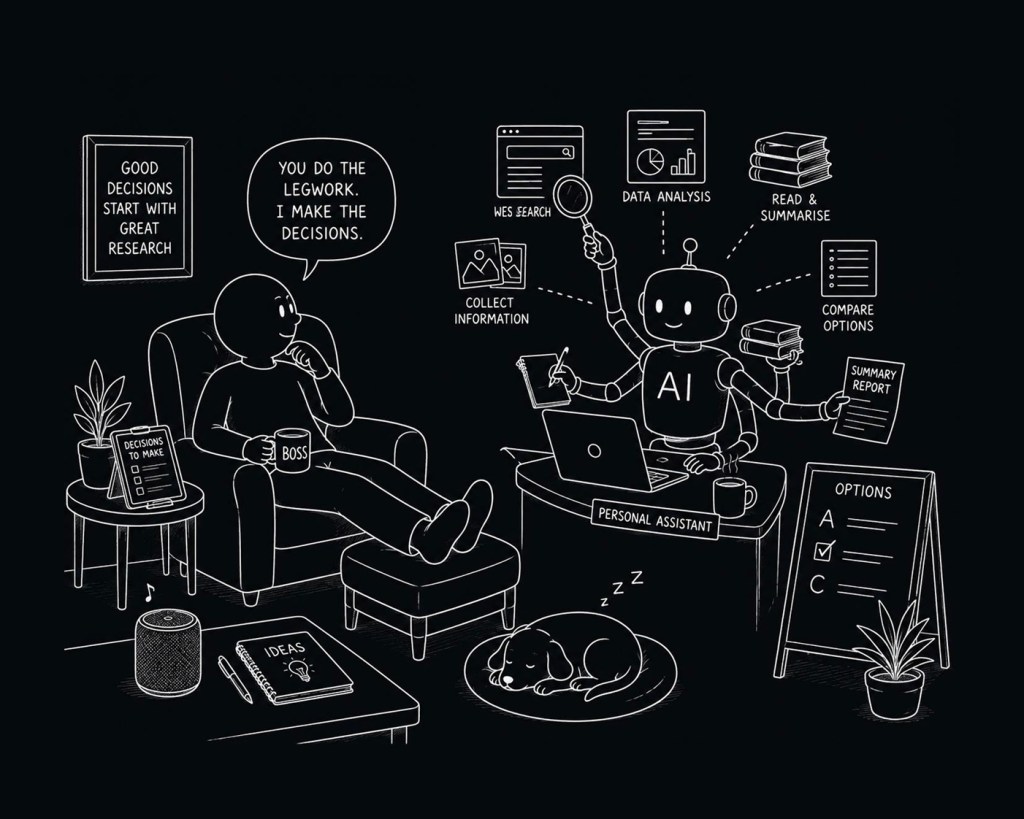
The tasks that are worth it share a pattern: they save you the doing while leaving you the deciding. The ones to be wary of are the ones where you’d end up checking its work so carefully that you may as well have done it yourself.
Written in conversation with Claude.
This blog is written with the assistance of Claude. That’s not a footnote — it’s rather the point.


Leave a Reply