
I’ve been using AI to help me keep track of books I’ve read across multiple platforms — Audible, Kobo, and my local library’s BorrowBox service — and then use that record to make better reading recommendations. What surprised me was how straightforward it turned out to be once the right tools were in place.
This post explains what I did and how you could do something similar.
The Problem
I read, or more accurately listen to, books from several different places. Audible has its own library. Kobo has its own. BorrowBox, which is a library audiobook service, has a loan history but no export option. None of these talk to each other, and none of them know what I’ve read on the others.
The result is that recommendation engines on each platform only ever see part of the picture. Audible doesn’t know I’ve read hundreds of books on Kobo. Kobo doesn’t know what I’ve borrowed from the library. And when I ask AI for recommendations, it doesn’t know any of it unless I tell it.
What I Built
Working with Claude over a single session, I ended up with three things.
First, a simple HTML app — a Book Log — that runs as a local file on my phone with no internet connection required. It stores entries in the phone’s local storage, so nothing is lost between sessions. It tracks title, author, narrator, platform, genre, date finished, and star rating. It can export to CSV for backup or copy to JSON to paste into Claude for analysis.
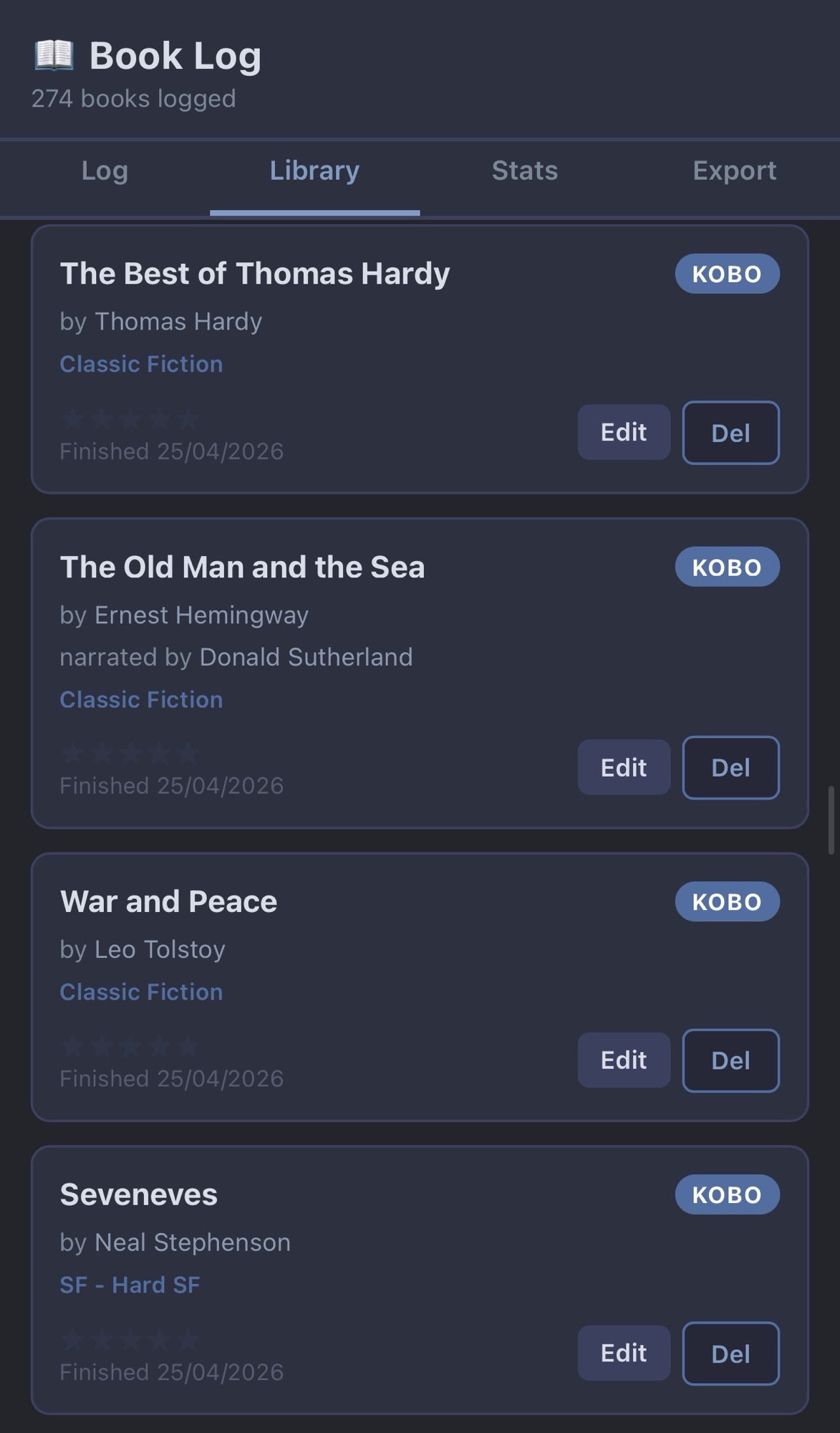
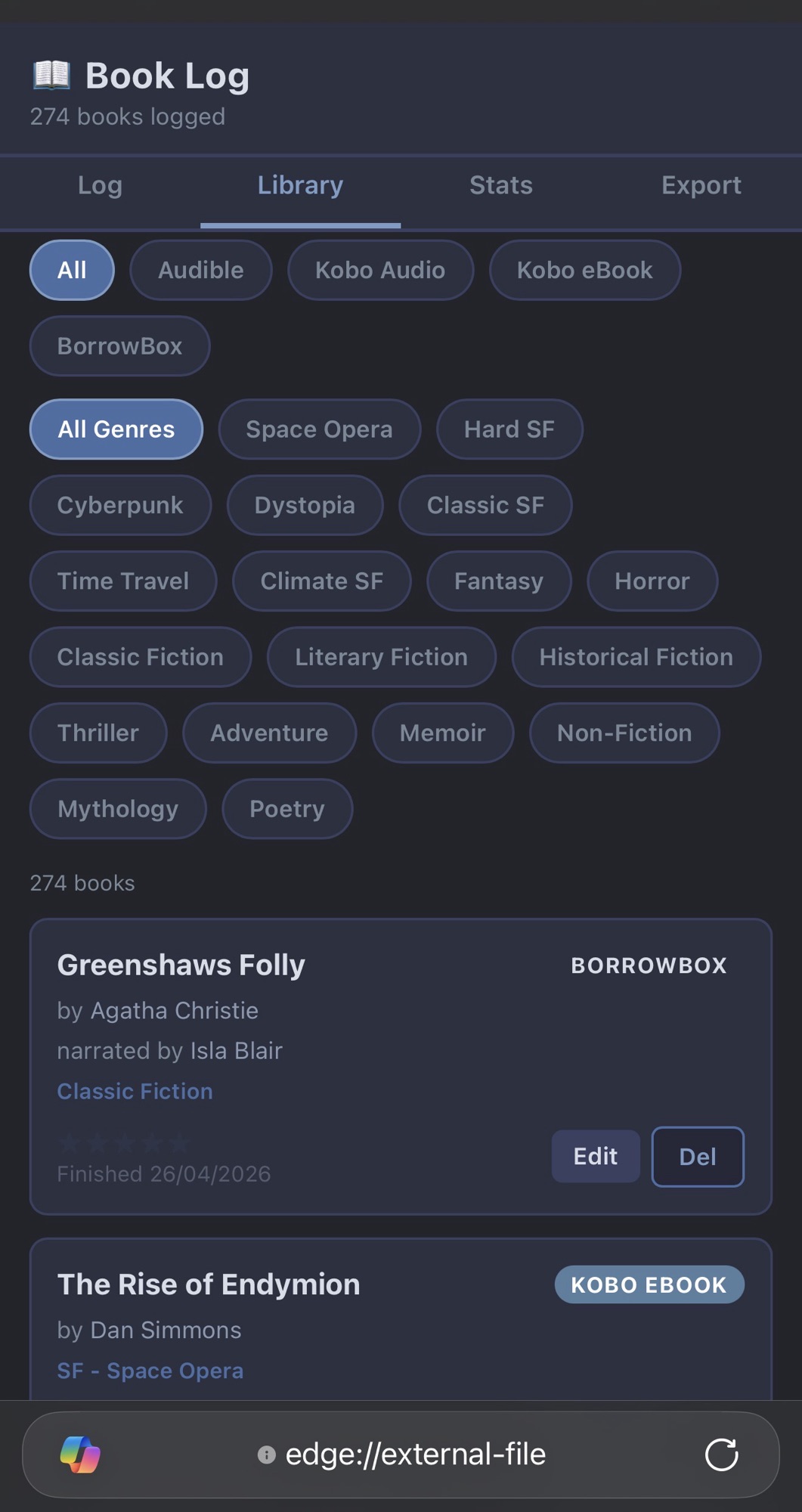
Second, a set of CSV files — one for each platform — containing my complete reading history. These were built from screenshots of my library on each app, which Claude read and transcribed into structured data. For BorrowBox, it even pulled the actual loan end dates from the loan history screen, so the dates are accurate.
Third, three reference documents stored in Craft — one for Kobo audiobooks, one for Kobo eBooks, one for BorrowBox — that summarise not just the titles but the reading patterns. Which authors I’ve gone deep on. Which series I’ve completed. Which genres dominate. These documents sit in the background and whenever I ask for a recommendation, Claude checks them first.
How the Screenshots Worked
This is the part I found most impressive. Each app shows your library as a grid or list of cover images with titles and authors. I took screenshots scrolling through the full library and sent them to Claude in batches. It read the covers, extracted titles and authors, assigned genres, matched dates where they were visible, and produced clean CSV files ready to import.
It wasn’t perfect — a handful of titles needed checking — but for a library of several hundred books across all platforms, it took one session rather than days of manual data entry.
The Payoff
The recommendation quality is noticeably better now. Before, asking Claude for a book recommendation would produce perfectly reasonable suggestions that I’d often already read. Now it checks the reference documents first, knows what I’ve covered, spots the gaps in series I’m partway through, and can see the shape of my taste across a much larger sample.
It also meant I discovered I had read far more than I’d consciously tracked. Seeing it all in one place was unexpectedly satisfying.
What You’d Need
A Claude account — the free tier would handle most of this, though the paid tier is faster for processing multiple screenshots at once. The Book Log app I described is something Claude can build for you in a single conversation; it doesn’t require any coding knowledge on your part.
The main effort is taking the screenshots. For a large library that’s twenty minutes of scrolling. After that, Claude does the work. If you’d like the Book Log app to try yourself, get in touch via the contact page.
Ian writes about using AI and smart technology while managing a progressive neurological condition. More at thinkingathalfspeed.blog
This blog is written with the assistance of Claude. That’s not a footnote — it’s rather the point.


Leave a Reply